






Updated 29 October 2026
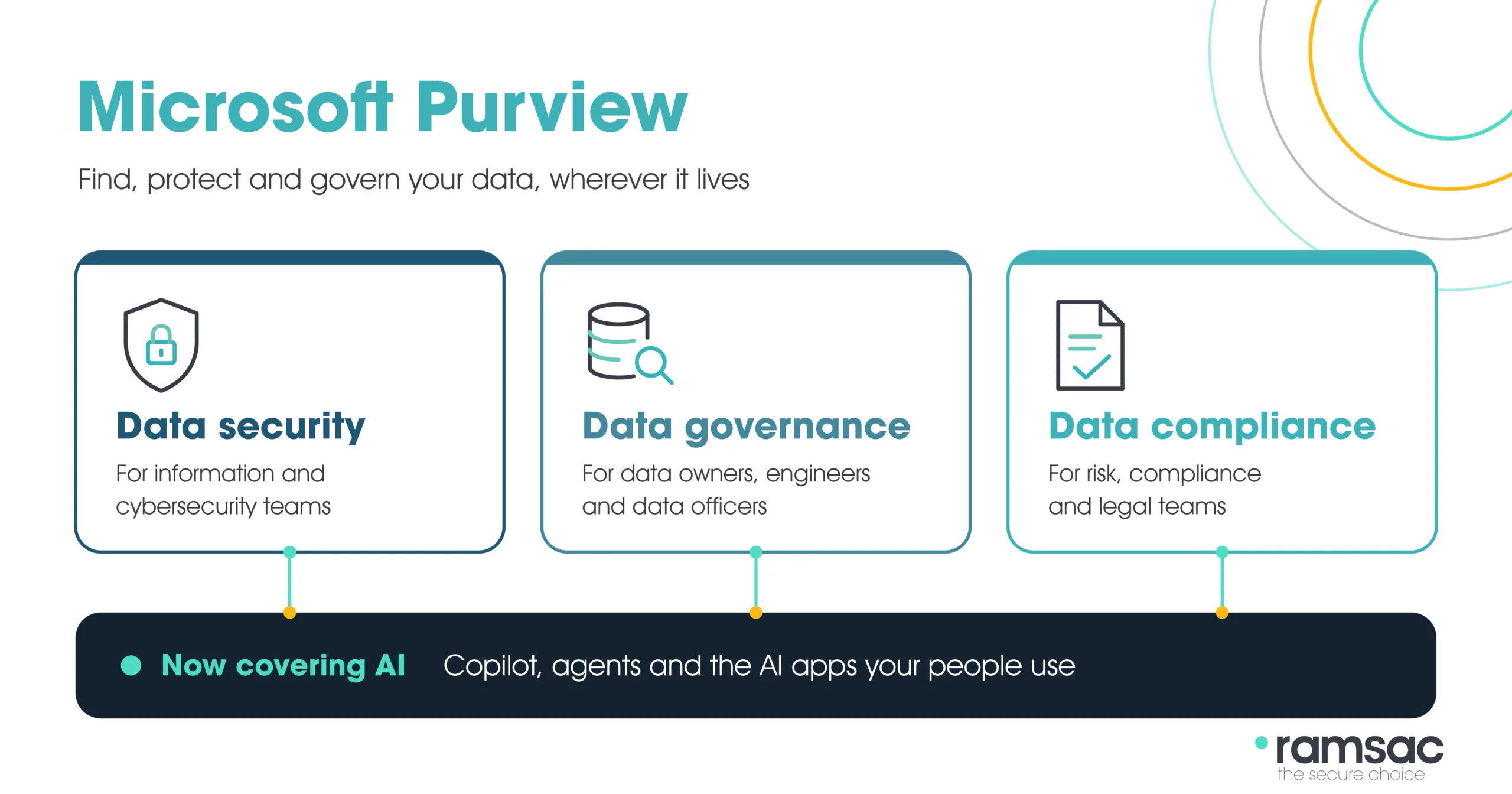
Microsoft Purview is Microsoft’s set of tools for finding, protecting and governing your organisation’s data, wherever it’s stored. It covers three areas: data security (such as sensitivity labels and data loss prevention), data governance (mapping and cataloguing data) and data compliance (such as audit, retention and eDiscovery). Most organisations already have some of it through Microsoft 365, and it’s now the main way to control what Copilot and other AI tools can see and share. Microsoft’s own overview is on Microsoft Learn.
What does Microsoft Purview do?
Purview brings Microsoft’s data protection and compliance tools together in one portal. Microsoft groups them into three areas:
| Area | What it’s for | Main solutions |
| Data security | Finding sensitive information and stopping it leaking | Information Protection (sensitivity labels), Data Loss Prevention, Insider Risk Management, Information Barriers, Privileged Access Management, Data Security Investigations |
| Data governance | Knowing what data you have, where it lives and who owns it | Data Map, Unified Catalog |
| Data compliance | Meeting legal and regulatory obligations | Audit, Communication Compliance, Compliance Manager, Data Lifecycle Management, eDiscovery, Records Management |
Microsoft is also previewing Data Security Posture Management (DSPM), which pulls these together into one view of where your sensitive data is at risk, including in AI apps and agents.
How does Purview protect data in Copilot and AI apps?
This is the main reason organisations look at Purview today. Copilot can only see what each person already has access to, so if files are overshared, Copilot can surface them. Purview’s protections now apply to Microsoft Copilot and agents, to AI apps you build yourself and to other AI apps your staff use.
In practice that means sensitivity labels and data loss prevention policies apply when people use AI, Purview can flag sensitive data being pasted into AI tools, and Copilot interactions can be audited and kept for compliance. It’s why getting Purview right is one of the first steps in any Copilot rollout.
How does Purview handle data governance?
The governance side has changed most since Purview launched. It’s now built around two products. Data Map scans your data sources, including Azure, Microsoft Fabric, on-premises SQL and other clouds, and records what’s there and how it moves. Unified Catalog lets people search for trusted data, see who owns it and track its quality. Older tools such as Data Catalog and Data Estate Insights have been folded into Unified Catalog.
Governance is licensed separately from Microsoft 365, through Azure. There’s a free version with limited features for testing.
Is Microsoft Purview included in Microsoft 365?
Partly. The core security and compliance features are included in Microsoft 365 Business Premium and E3, and the advanced ones come with E5 or as add-ons.
| Plan | What you get from Purview |
|---|---|
| Microsoft 365 Business Premium (up to 300 users) | Manual sensitivity labels, data loss prevention for email and files, standard audit, retention and email encryption |
| Microsoft 365 E3 | The same core features, plus eDiscovery (Standard), Data Lifecycle Management and Compliance Manager |
| Microsoft 365 E5 | Everything above, plus automatic labelling, data loss prevention on devices and in Teams chat, eDiscovery (Premium), Audit (Premium), Insider Risk Management and Communication Compliance |
| Add-ons | Purview add-ons give E3 and Business Premium customers the advanced features without moving to E5 |
Microsoft changes these bundles regularly, so it’s worth checking exactly what your current licences include before buying anything extra.
Where do you start with Purview?
- Check which Purview features your Microsoft 365 licences already include.
- Find out where your sensitive data lives and who can reach it, starting with SharePoint and OneDrive.
- Create a small, clear set of sensitivity labels, such as Public, Internal and Confidential, and train people to use them.
- Turn on data loss prevention for the information that would cause most harm if it leaked.
- Set retention and audit policies, then review oversharing before you roll out Copilot or agents.
Ready to make your data safe for AI?
Purview has a lot of settings, and most organisations get the best results by starting small and building up. Our team can review what your licences include, find your oversharing risks and set up labels and policies that work for how your people actually work. Would a data readiness check help? Book an AI readiness assessment or read about our Data Security Framework.
Your journey to secure, well-governed data
Data drives productivity, but without governance it quickly becomes a risk. The ramsac Data Security Framework offers a flexible model to help organisations understand, protect, and manage their information
FAQs: Microsoft Purview
Microsoft Purview is used to find, protect and govern an organisation’s data. It covers data security, such as sensitivity labels and data loss prevention, data governance, such as cataloguing data, and data compliance, such as audit, retention and eDiscovery.
There isn’t a free standalone version of Purview’s security and compliance tools, but many of them are included in Microsoft 365 Business Premium, E3 and E5. Purview’s data governance tools have a free version with limited features for testing.
Yes, in part. Business Premium includes core Purview features such as manual sensitivity labels, data loss prevention for email and files, standard audit and retention. Advanced features need Microsoft 365 E5 or a Purview add-on.
Copilot works without Purview, but Purview is how you control what Copilot can see and share. Sensitivity labels, data loss prevention and audit help stop Copilot surfacing overshared or sensitive information.
Azure Purview was renamed and combined with Microsoft 365’s compliance tools to form Microsoft Purview. Its data governance features now sit in Purview’s Data Map and Unified Catalog.
All Purview solutions are managed in the Microsoft Purview portal at purview.microsoft.com. The older Microsoft Purview compliance portal has been retired.