




On the evening of Friday 16 October 2026, ConnectWise told its partners about a security incident affecting its Cloud Backup service, the Microsoft 365 backup tool many people still know as SkyKick. Some of our customers use the service to back up their email, OneDrive, SharePoint and Teams data, and others had used it in the past.
Incidents like this rarely arrive at a convenient moment, and this one landed just as most people were starting their weekend. This post explains, at a high level, what happened, what our teams did over the following days and where things stand now. It’s also a chance to say a public thank you to the members of our ramsac cybersecurity team who gave up their Friday night and weekend to keep our customers safe.
What happened
To back up Microsoft 365, a service like Cloud Backup is connected to each customer’s environment as an app, with permission to read and copy data. Attackers obtained the credentials that app uses and began using them to sign in to customers’ Microsoft 365 environments. Because the app signs in as itself rather than as a person, protections designed for staff logins, such as multi-factor authentication (MFA), didn’t come into play.
This is known as a supply chain attack. Instead of targeting organisations one at a time, attackers go after a supplier that already has trusted access to many of them. Microsoft has since attributed the attack to a China state-aligned group that has been targeting organisations across many sectors worldwide.
ConnectWise acted quickly once the problem came to light. It shut the service down, reset every credential in the affected environment, shared technical guidance so providers like us could check customer environments, and kept partners updated throughout.
Friday night: protecting customers first
When the first alert came through, the details were still thin, it was not yet determined by ConnectWise themselves the extent of the impact, nor who was confirmed to be affected. Rather than wait for certainty, our team focused on closing off the route in. Analysts from our cybersecurity team, who look after customers on our secure+, totalIT secure and vulnerability management as a service (VMaaS) services, joined senior members of our support team and our senior leaders on a call that ran for several hours into the night. A colleague from our communications team was on hand too, so customers got a clear update that same evening. Between them, they:
- Switched off the Cloud Backup app in every customer environment that used it, so it could no longer reach their data
- Disabled related ConnectWise integrations as an extra precaution
- Checked customers who’d used SkyKick in the past, to make sure no old connections had been left in place
- Started reviewing Microsoft 365 sign-in and audit logs for any sign the attackers had gained access
- Wrote to every affected customer that evening to explain what we knew and what we’d already done
The weekend and beyond
Switching the apps off stopped any new access, but customers rightly wanted to know whether anyone had already got in. Over the weekend, as ConnectWise and Microsoft published more detail about what to look for, our cybersecurity team checked each customer’s sign-in and audit logs against it. They found no evidence of the attackers’ activity in any customer environment, and we shared that with customers on Sunday evening, a day earlier than we’d promised.
The checks didn’t stop there. Each time new guidance was published, the team went back through customer environments again, widening the search as more became known. Every review came back clean, and we kept customers updated at each stage so nobody was left wondering what was happening.
Where things stand now
ConnectWise has rebuilt the service on a new, security-hardened app, and it began returning on 29 October. We’re reconnecting customers once we’re satisfied it’s safe to do so, and a member of our team is getting in touch with each customer personally to confirm their backups are running again. While backups were paused, Microsoft 365’s own recovery features stayed available, and we helped with restores where they were needed.
Where secure+ made the difference
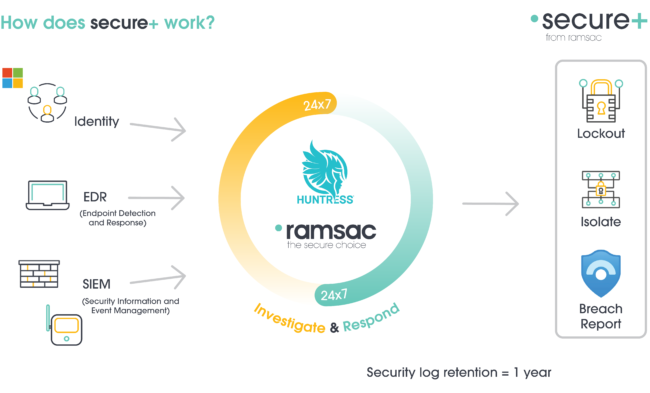
For clients with secure+, our managed security monitoring and response service, this incident showed exactly why round-the-clock monitoring matters. secure+ is delivered with Huntress, one of the first security firms to identify and confirm this attack.
This led to those customers benefiting from secure+ to be among the first organisations to be protected from this wide-scale attack. The Huntress security operations centre had already detected the compromised application and locked down their environment before the provider publicly confirmed the incident.
For clients without that monitoring, our response was necessarily reactive. We were checking for activity that might already have happened, rather than spotting and stopping it as it occurred.
A thank you to the team
The people on that Friday night call had plans for their weekend, and they set them aside without being asked because they knew our customers were relying on them. Their quick, calm work meant customers heard from us the same evening and had reassurance within two days. That’s what “Your Technology. Our Responsibility.” looks like in practice, and we’re proud of every one of them.
What any organisation can take from this
Most Microsoft 365 environments collect third-party apps over the years, from backup tools to email signature managers and CRM connectors. Each one holds its own keys, so it’s worth treating them with the same care you’d give a user account. A few simple habits make a real difference:
- Know what’s connected. Review the apps linked to your Microsoft 365 and the access each one has.
- Remove what you don’t use. Apps from suppliers you’ve moved away from are easy to forget about.
- Watch for unusual app activity. Alerts for apps gaining new permissions or admin roles can flag a problem early.
- Have a plan. Decide in advance who would make the call to switch off a supplier’s access, and how you’d keep people informed.
If you’d like the same people watching over your Microsoft 365, our secure+ and totalIT secure services give you a UK team that’s ready to act the moment something goes wrong, whatever time it happens. Get in touch with our team to find out how we can help protect your organisation.
Understand your cybersecurity posture
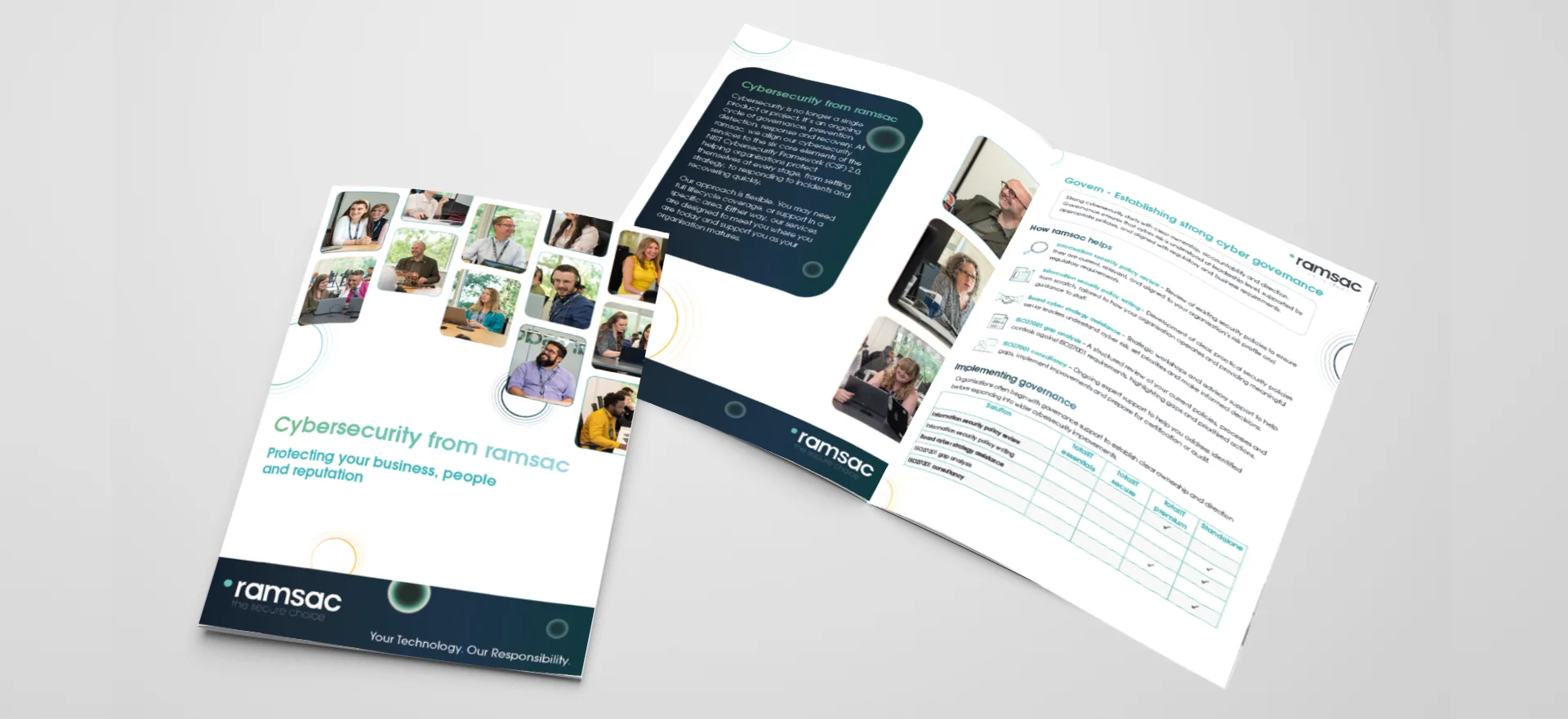
Download our cybersecurity brochure to see how ramsac supports your organisation across the six core elements of cyber resilience: Govern, Identify, Protect, Detect, Respond and Recover. Discover how our services work together to reduce risk, strengthen security and help your business stay resilient.
FAQs: Connectwise Cloud Backup incident
What happened in the ConnectWise Cloud Backup security incident?
In October 2026, attackers obtained the credentials that ConnectWise Cloud Backup uses to connect to customers’ Microsoft 365 environments, and used them to sign in. ConnectWise disclosed the incident on 16 October, shut the service down as a precaution, reset all credentials and rebuilt it on a new, security-hardened app before restoring it from 29 October.
Is SkyKick the same as ConnectWise Cloud Backup?
Yes. ConnectWise bought SkyKick in 2024, and SkyKick Backup was renamed ConnectWise Cloud Backup. It backs up Microsoft 365 data, including Exchange email, OneDrive, SharePoint and Teams. Organisations that used SkyKick in the past should check that no old SkyKick or ConnectWise apps are still connected to their Microsoft 365 environment.
Who was behind the ConnectWise Cloud Backup attack?
Microsoft has attributed the attack to Storm-0940, a China state-aligned group it says has been targeting organisations across many sectors worldwide. Microsoft also reported that the group used AI-driven tools to automate parts of its activity. ConnectWise has said it appears a China state-aligned group was responsible.
Why didn’t multi-factor authentication stop the attack?
The attackers signed in as the backup application, using the app’s own credentials, rather than as a person. Multi-factor authentication (MFA) protects people’s logins, so it wasn’t part of those sign-ins. That’s why monitoring the third-party apps connected to Microsoft 365, and the permissions they hold, matters as much as protecting user accounts.
Were backups lost during the ConnectWise Cloud Backup outage?
No. Backups taken before the incident were preserved, and ConnectWise reports no indication they were compromised. New backups were paused while the service was offline, so organisations will see a short gap in their backup history. Microsoft 365’s own recovery features, such as recycle bins and deleted item recovery, stayed available throughout.
How can I check which third-party apps can access my Microsoft 365?
In the Enterprise applications section of the Microsoft Entra admin centre, you can see every app connected to your Microsoft 365 environment and the permissions each one holds. Remove apps you no longer use, question any with broad access such as reading every mailbox, and set up alerts for apps gaining new permissions or admin roles.
Was ramsac customers’ data affected by the ConnectWise Cloud Backup incident?
Our checks found no evidence of the attackers’ activity in any ramsac customer’s Microsoft 365 environment. Our cybersecurity team reviewed sign-in and audit logs against the indicators published by ConnectWise and Microsoft, and repeated those checks as new guidance came out. Customers don’t need to take any action, and we’re confirming each customer’s backups personally.