





Microsoft Teams is becoming a growing target for cyber attacks
Most people are familiar with phishing emails, but cyber criminals are constantly evolving their tactics. As tools like Microsoft Teams have become central to day-to-day business communication, attackers have started to target them more frequently.
While Teams-based attacks are not entirely new, they are becoming significantly more common and more sophisticated. This makes them an increasing risk for organisations that may still be focused primarily on email security.
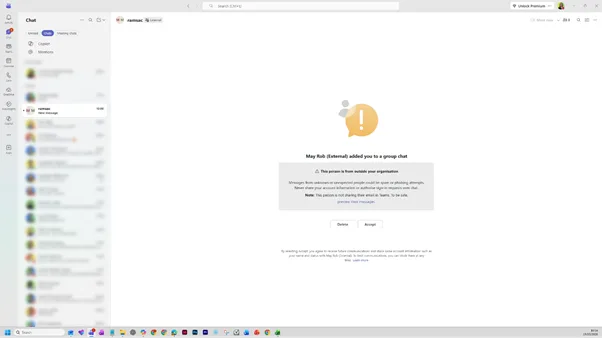
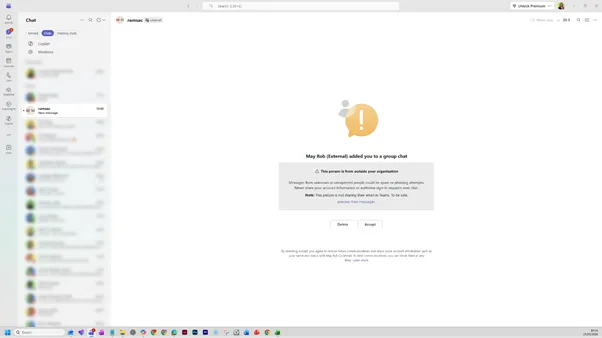
We recently encountered a real example of this type of attack. A Teams message was sent to a ramsac employee that appeared to come from a senior individual within our organisation. At first glance, it looked legitimate, but there was one crucial detail that exposed it as suspicious: the label “(External)” next to the name.
That small detail is easy to overlook, but it is often the clearest sign that something is not right.
How the Microsoft Teams impersonation attack works
Microsoft Teams allows external users to communicate with your organisation, which is essential for collaboration but also creates an opportunity for misuse.
In this case, the attacker used a simple but effective technique. They created or used an external account and set the display name to match someone senior and trusted within the business. From there, they initiated a conversation to try and engage the recipient.
Once a response is received, the attacker will typically try to build trust quickly before moving on to their real objective. This might involve asking for sensitive information, encouraging a payment, or directing the user to click a malicious link.
If successful, this type of attack can result in:
- Stolen credentials
- Financial loss
- Malware infections
- Wider compromise of systems and data
What this looks like in practice
In our example, the message appeared to come from an executive chairman, which immediately adds a sense of authority and urgency.
However, there were several subtle warning signs that indicated it was not genuine:
- The contact was clearly marked as “External”
- The message was unexpected and out of context
- There was no prior conversation or explanation
These are the kinds of signals that users need to be aware of, especially as attackers become more convincing.
Why these attacks are becoming more effective
Attacks through Teams are particularly effective because they rely on human behaviour rather than technical weaknesses.
Messages in Teams feel more conversational and immediate than email, which means people are more likely to respond quickly without stopping to question them. They also sit within everyday workflows, making them feel familiar and safe.
At the same time, many organisations have invested heavily in email security but have not yet applied the same level of control and awareness to collaboration platforms.
This combination makes Teams an increasingly attractive target for cyber criminals.
Key warning signs to look out for
Helping your team recognise suspicious behaviour is one of the most effective ways to reduce risk.
Encourage users to watch for:
- The “(External)” label next to names, even if the name is familiar
- Unexpected messages from senior leaders or colleagues
- Requests that feel urgent or unusual
- Messages that try to move the conversation forward quickly
- Any request involving sensitive information, payments or access
Even small inconsistencies can be the difference between a safe interaction and a security incident.
What to do if you receive a suspicious Microsoft Teams message
If a message does not feel right, it is important to pause and assess the situation rather than reacting immediately.
Do not reply to the message or click on any links. Instead, verify the request by contacting the individual through a known and trusted method, such as a direct phone call or internal email.
Once you have identified the message as suspicious, take the following steps:
- Block the contact to prevent further communication
- Report the incident to your IT or security team
- Delete the conversation once it has been reported
This ensures the issue is contained and that your organisation can take appropriate action.
How to block someone on Microsoft Teams
Blocking a suspicious contact is a simple but important step in protecting yourself.
To block a user in Teams:
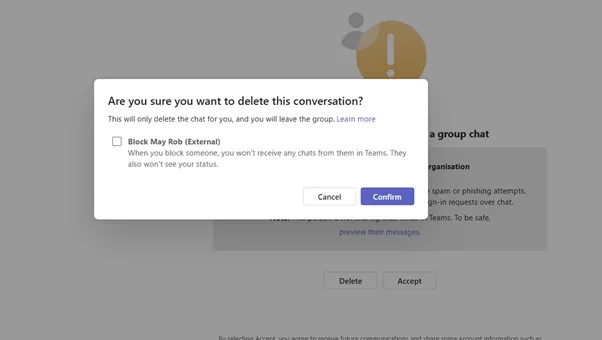
- Open the chat with the suspicious contact, click on delete
- Tick to block the contact
- Click confirm
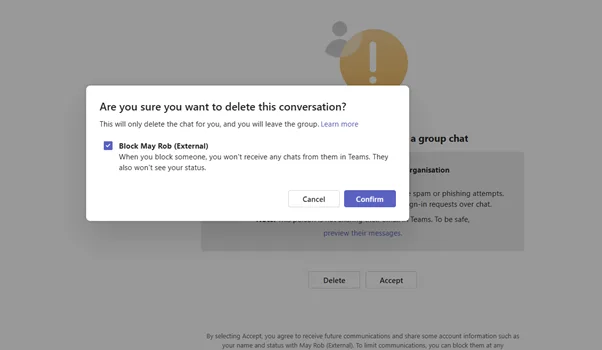
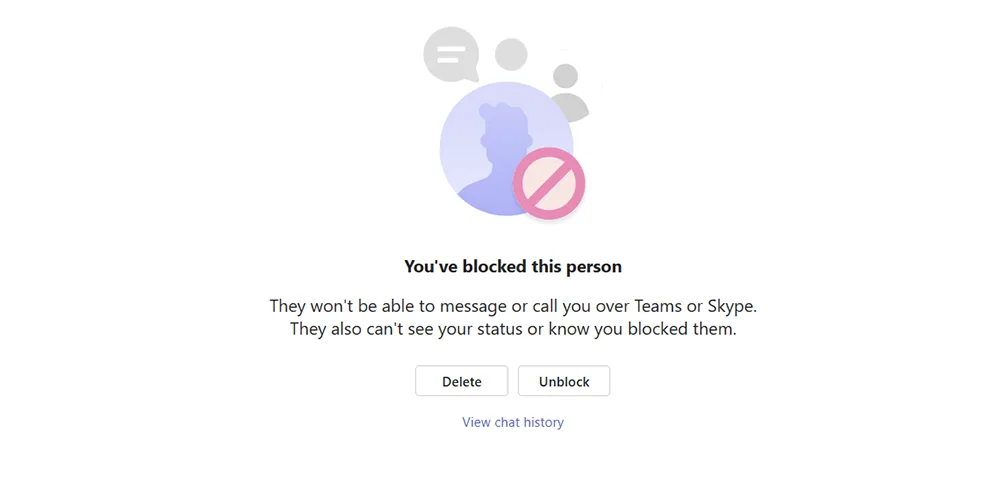
Once blocked, the individual will no longer be able to message or call you, and you will typically see a confirmation message stating that they have been blocked. You may also be given the option to delete the conversation at the same time.
How to protect your organisation
Reducing the risk of Teams-based attacks requires a combination of awareness, configuration and ongoing oversight.
Organisations should ensure they:
- Provide regular user awareness training that includes modern attack methods
- Review and restrict external access settings where appropriate
- Enforce multi-factor authentication across all users
- Monitor for unusual communication patterns and behaviour
- Establish clear reporting processes for suspicious activity
Cybersecurity is no longer just about preventing threats at the perimeter. It is about enabling your people to recognise and respond to them effectively.
How ramsac can help
At ramsac, we help organisations stay ahead of evolving threats like this by combining expert advice with practical protection.
We support businesses with cybersecurity awareness training, Microsoft 365 security reviews, proactive monitoring and ongoing cybersecurity support. Our approach focuses on reducing risk in real-world scenarios, not just theoretical threats.
If you are unsure whether your organisation is protected against attacks like this, now is the time to take action.
👉 Get in touch with ramsac today to strengthen your cybersecurity and protect your people
Understand your cybersecurity posture
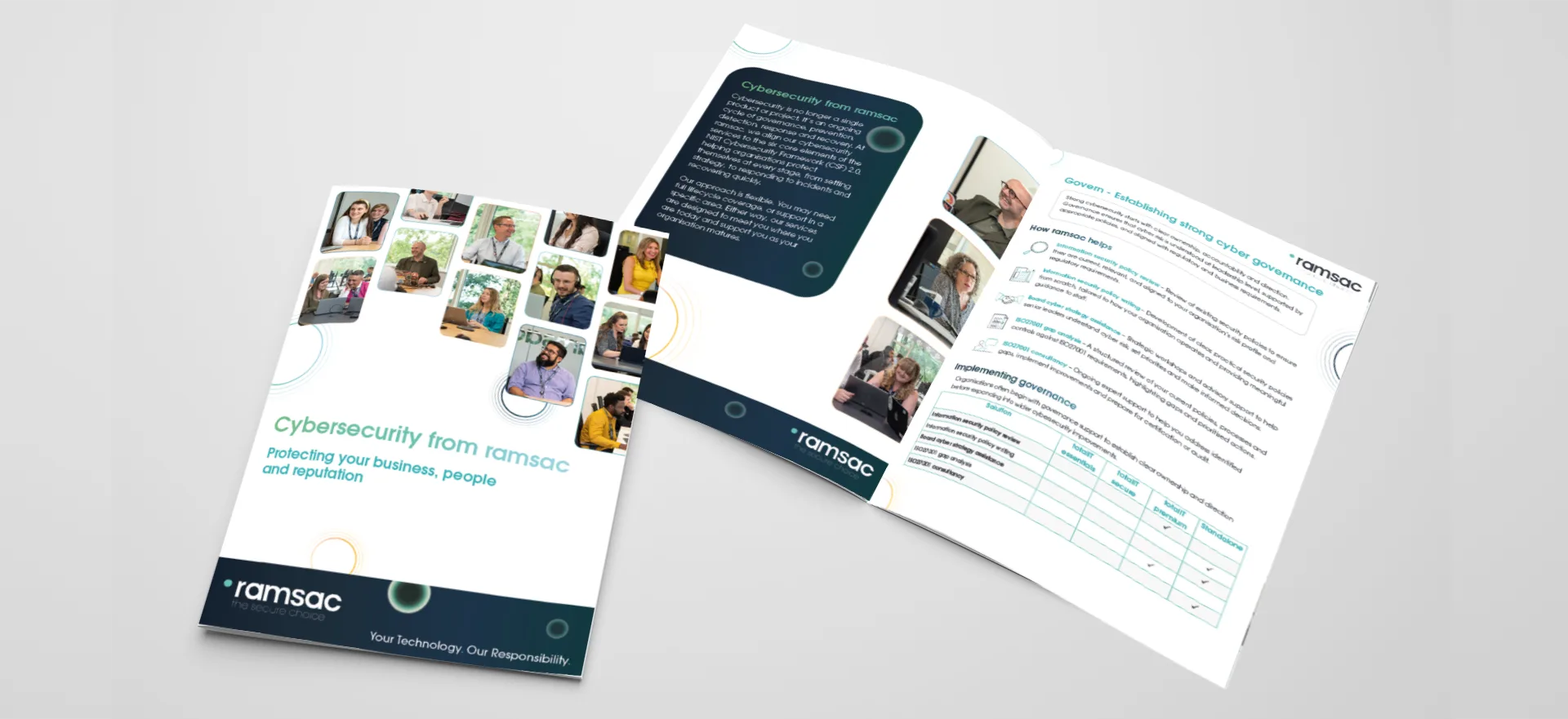
Download our cybersecurity brochure to see how ramsac supports your organisation across the six core elements of cyber resilience: Govern, Identify, Protect, Detect, Respond and Recover. Discover how our services work together to reduce risk, strengthen security and help your business stay resilient.
Microsoft Teams impersonation attacks: FAQs
No, Teams-based attacks are not entirely new, but they are becoming more common and more sophisticated, making them a growing risk for organisations.
It is a type of cyber attack where a criminal pretends to be a trusted contact in Teams to trick users into sharing information or taking harmful actions.
“External” indicates the message is coming from outside your organisation, even if the name appears familiar.
Yes, attackers can set their display name to match someone in your organisation, which can make messages appear legitimate.
No, you should always verify unexpected messages through a trusted channel before responding.
Open the chat, select the options menu, choose “Block”, and confirm. This prevents further communication from that contact.
Teams messages feel more immediate and trusted than email, making users more likely to respond quickly without questioning them.
Cyber criminals are increasingly targeting Microsoft Teams with impersonation attacks. Learn how to spot the warning signs and protect your organisation.