




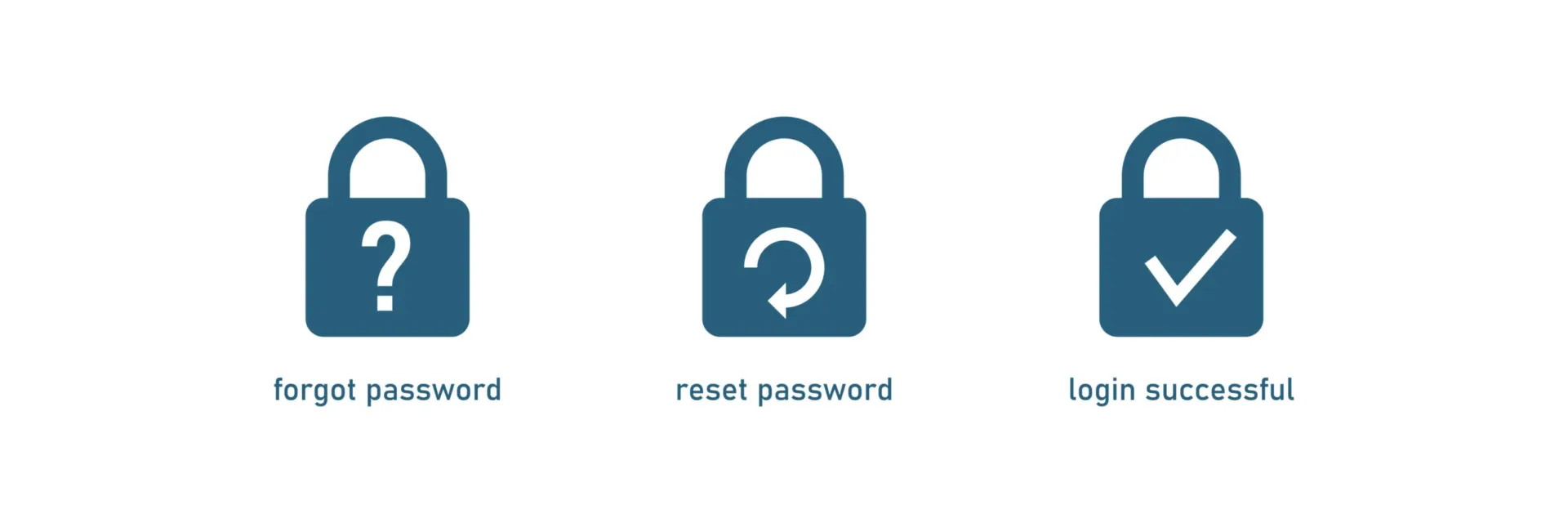
In the fast-paced world of IT, efficiency and user empowerment are crucial. At ramsac, we believe in providing our clients with the tools they need to manage their IT resources effectively. One of the most beneficial tools we recommend is the ability to perform self-service password resets. Here’s why you could look to embrace this feature in your organisation and how easy it is to do.
Why self-service password resets?
- Immediate access: With self-service, you can regain access to your account instantly, minimising downtime and enhancing productivity.
- Enhanced security: Self-service password resets often require multi-factor authentication (MFA), adding an extra layer of security to your accounts. This reduces the risk of unauthorised access.
- User empowerment: Giving users control over their password resets fosters a sense of empowerment and increases their confidence in using the IT systems.
- Familiarity and tech-savviness: In today’s digital age, most users are already accustomed to resetting passwords for various apps and services. Implementing self-service password resets taps into this existing familiarity, making the process intuitive and straightforward.
How easy is it?
Resetting your password is simpler than you might think. Here’s a quick guide to performing a self-service password reset using Microsoft 365:
Step 1: Visit the Microsoft 365 Portal Head over to the Microsoft 365 Portal at https://login.microsoftonline.com.
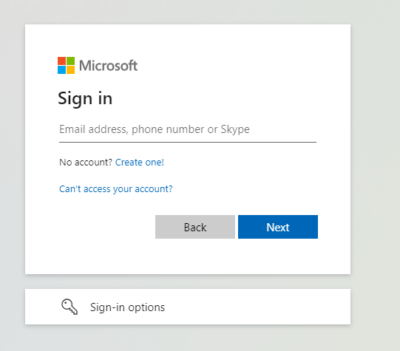
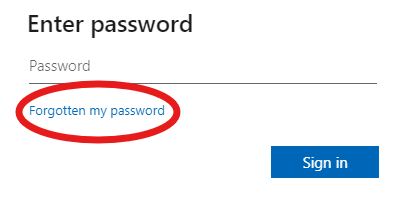
Step 2: Initiate Password Reset Enter your email address and click ‘Next’. Select the ‘Forgotten my Password’ option.
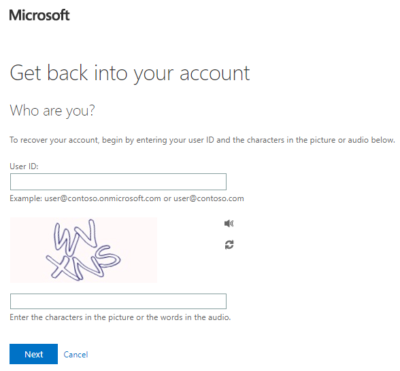
Step 3: Verify Your Identity On the Account Recovery page, input your email address and the characters shown in the image. Click ‘Next’.
Step 4: Choose a Recovery Option For the quickest and easiest method, select ‘Enter a code from my authenticator app’.
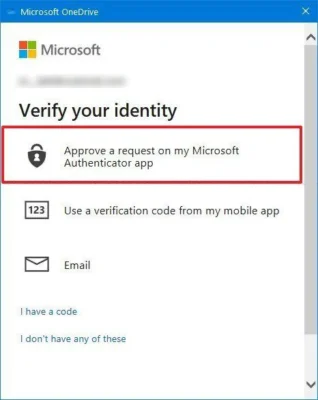
Step 5: Use the Authenticator App Open your authenticator app and enter the code displayed. This step ensures that only you can reset your password.
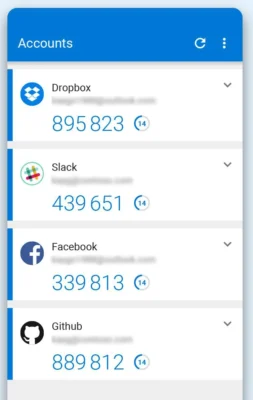
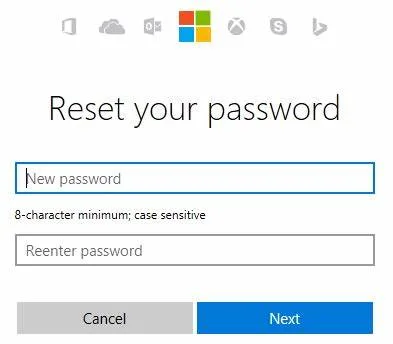
Step 6: Set a New Password Once approved, type and confirm your new password, then click ‘Finish’. Your password is now reset, and you can access your account immediately.
At ramsac, we strive to empower our clients with efficient and secure IT solutions. Self-service password resets are a simple yet powerful tool that enhances security, saves time, and boosts productivity. Talk to us to find out how we can help you set up self-service password resets in your organisation.

How can we help you?
We’d love to talk to you about your specific IT needs, and we’d be happy to offer a no obligation assessment of your current IT set up. Whether you are at a point of organisational change, unsure about security, or just want to sanity check your current IT arrangements, we’re here to help.