
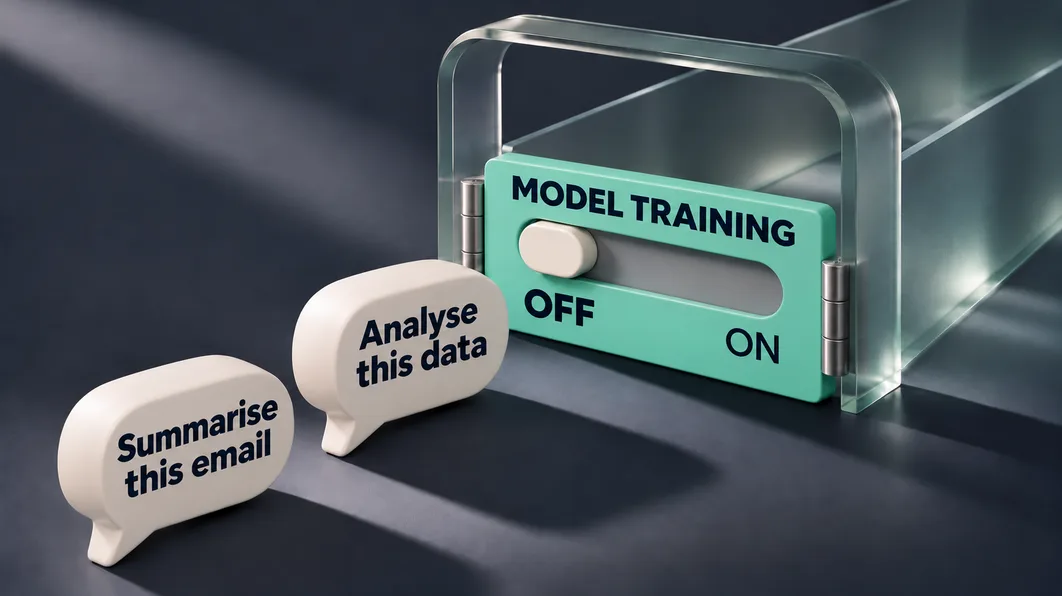



Your team is almost certainly using AI tools already, whether or not anyone has formally approved them. Someone’s asking ChatGPT to tidy up a client email, someone else is summarising a contract in Gemini on their phone. For most organisations the real question isn’t whether staff use AI, it’s what happens to the information they type in.
On personal accounts, the default settings in most popular AI tools allow your conversations to be used to train future models. A few minutes in each settings menu changes that. This guide shows where to find the key AI privacy settings in ChatGPT, Microsoft Copilot, Google Gemini and Claude, and why individual settings are only part of the answer for a business.
AI privacy settings at a glance
| Tool | Setting to switch off | On a laptop or the web | On a phone |
| ChatGPT | Improve the model for everyone | Settings > Data controls | Sidebar > profile icon > Data controls |
| Microsoft Copilot | None in the current app (see below) | Review memory and chat history in your profile’s privacy controls | As on a laptop |
| Google Gemini | Keep Activity | Settings & help > Activity | Menu > profile picture > Gemini Apps Activity |
| Claude | Help improve Claude | Settings > Privacy | Menu > your name > Settings > Privacy |
These steps reflect each provider’s own help pages as of November 2026. Menus change often, so if something has moved, search the settings for the name in the second column.
Why AI privacy settings matter for your organisation
When model training is switched on, what your staff type can be stored, reviewed and used to improve the provider’s next model, including client names, financial figures or HR details. Once it’s in a personal account, your organisation has no visibility of it and no way of getting it back.
Switching training off only affects new conversations. It doesn’t delete your history, and most providers still treat a thumbs up or thumbs down on a response as feedback they can use, so it’s worth telling staff not to rate chats that contain anything sensitive.

ChatGPT
OpenAI uses conversations from personal Free, Plus and Pro accounts for training by default. For one-off tasks, a Temporary chat isn’t saved to your history or used for training. Content in ChatGPT Business and Enterprise workspaces isn’t used for training by default.

Microsoft Copilot
Since Microsoft released a new version of the Copilot app on 18 August 2026, there’s no training setting to find on a laptop or a phone. Microsoft says prompts, responses and file contents in the app aren’t used to train its foundation models (the large AI models Copilot is built on), although its general privacy statement keeps a broader right to train AI models.
For a business, the most useful step is making sure staff use Copilot signed in with their work (Microsoft Entra ID) account, so your Microsoft 365 security and data policies apply. Our Microsoft Copilot services cover how to set this up properly.

Google Gemini
Even with Keep Activity off, Google keeps conversations for up to 72 hours. In mid-November 2026 Google began rolling out a change that splits the setting in two, one for your history and one for training, according to reporting by 9to5Google, so you’ll be able to keep your history and still opt out. Gemini in a Google Workspace account is controlled by your administrator.

Claude
Anthropic uses conversations from personal Free, Pro and Max accounts for training unless you opt out. Incognito chats are never used for training, and Claude’s Team and Enterprise plans fall under commercial terms that don’t use customer content for training.
Personal settings only go so far for a business
Privacy toggles are set person by person, and nobody in your organisation can see whether they’ve been changed or switched back on. Other settings need watching too, including memory, shared links (deleting a chat doesn’t always remove its public link) and connected apps such as email or cloud storage, and every account should be protected with multi-factor authentication (MFA).
The business versions of these tools are designed for this. ChatGPT Business and Enterprise, Microsoft 365 Copilot, Gemini for Google Workspace, and Claude Team and Enterprise all exclude your data from training by default and give administrators central control over retention, sharing and access. The same checks apply to any other AI tool your staff use, from research tools such as Perplexity to Meta AI, which is built into WhatsApp. Pair an approved tool with a clear acceptable use policy that says which tools staff can use and what should never go into them, and a hidden risk becomes something you can manage. If you’re not sure where your gaps are, our cybersecurity consultancy team can help you find them.
How ramsac can help
We help organisations choose the right AI tools, set them up securely and give staff the confidence to use them well. That includes configuring Microsoft 365 Copilot with the right permissions, writing practical AI policies and running AI training for business leaders and their teams. Find out more about our AI consultancy services.
Not sure how your organisation is using AI today? Book an AI readiness assessment to see where you stand and what to prioritise first.
A practical guide to AI governance
Settings are one piece of a bigger picture. The CHART Method is ramsac’s practical framework for governing AI in your organisation, helping you understand how much your teams use AI, how well it’s governed and what to do next.
Download the CHART Method guide
See what AI could do for your business
AI delivers the most value when it solves the right problems. ramsac helps organisations identify high-impact opportunities, build secure AI solutions and support confident adoption. Download our factsheet to explore our five-step approach and see practical AI examples across service desk, finance, security, marketing and sales.
Start with one real business problem, and see where AI can take you
FAQs: AI privacy settings
On personal Free, Plus and Pro accounts, yes, unless you turn it off. You can opt out in Settings > Data controls by switching off “Improve the model for everyone”. Content in ChatGPT Business and Enterprise workspaces isn’t used for training by default.
No, it only stops new conversations being used for training. Your existing history stays in your account until you delete it, and data that has already been used for training can’t usually be removed.
Microsoft says prompts, responses and file contents in the current Copilot app aren’t used to train its foundation models, which is why the app no longer has a training setting. For work, staff should sign in with their work (Microsoft Entra ID) account so your organisation’s Microsoft 365 data protections apply.
The safest approach is to give staff an approved business version of an AI tool that your organisation manages, backed by a clear AI policy. Business plans exclude your data from training by default and let administrators control retention, sharing and access centrally.
It’s a one-off conversation that isn’t saved to your history or used to train the model. ChatGPT calls this Temporary chat and Claude calls it Incognito chat, although providers may still keep the content for a short period for safety checks.