





Cyber criminals are increasingly using a technique known as ClickFix to trick users into compromising their own devices, and in the past two weeks alone we have seen five attempted cases affecting customers we currently protect.
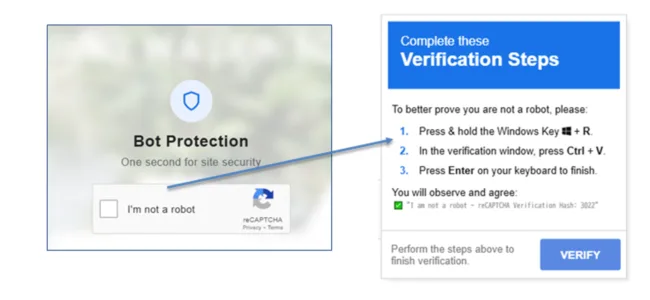
These attacks often appear as a normal website security check, such as a CAPTCHA verification or browser error message. However, instead of staying within the browser, they attempt to convince users to run instructions directly on their own computer.
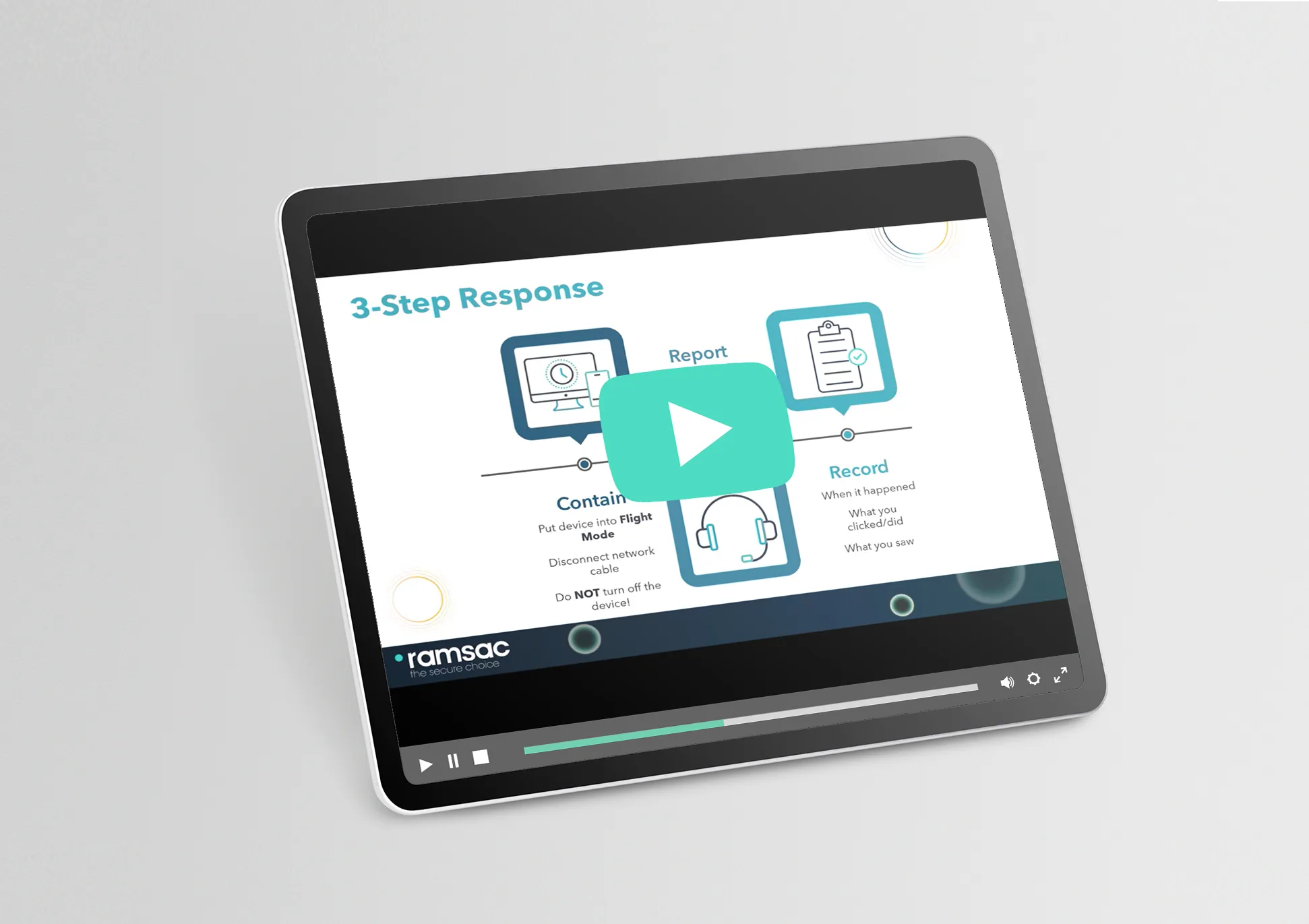
Watch the short video below to understand how the ClickFix scam works and what to look out for, or read our explainer guide.
How the ClickFix attack works
In a typical ClickFix attack, a website displays instructions telling the user to “fix” a problem by carrying out steps on their computer. This may include instructions such as:
- Opening a command prompt, terminal, or Windows ‘Run’ box
- Copying and pasting text into the computer
- Pressing unusual key combinations
While these steps may appear technical but harmless, they can actually execute hidden commands that install malware or allow attackers to gain control of the device
A key rule to remember
A legitimate website will never ask you to open software on your computer outside of your web browser in order to fix a problem.
If a website ever asks you to run commands, open system tools, or paste instructions into your computer, treat it as suspicious.
What you should do if you see this
If you encounter a message like this while browsing:
- Do not follow the instructions
- Close the webpage immediately
- Report the incident to your IT or security team
Even if security software is installed, following these instructions can still give attackers access to your device, your email account, and potentially your organisation’s data.
Trust your instincts
Many cyber attacks rely on creating a sense of urgency or confusion to encourage people to act quickly. If something feels unusual or out of place, trust your instincts and stop.
Reporting suspicious activity quickly can prevent a small issue from becoming a serious cyber incident.
How ramsac can help
Protecting your organisation from modern cyber threats requires a combination of technology, monitoring and user awareness.
ramsac helps businesses strengthen their cyber security through managed protection services, threat monitoring and cyber security awareness training that helps employees recognise and avoid attacks like ClickFix.
If you would like to learn more about improving your organisation’s cyber resilience, get in touch with the ramsac team.
Cyber Resilience health check from ramsac
Safeguarding your organisation against cyber threats has become increasingly vital, and assessing where you currently are is the first step to security. Find out which 10 questions you should be asking yourself about Cyber Resilience.
Frequently asked questions about the ClickFix scam
The ClickFix scam is a cyber attack that tricks users into running commands on their own computer. It often appears as a fake security check, CAPTCHA, or browser error message. Instead of fixing a problem, the instructions can install malware or give attackers access to the device.
A ClickFix attack typically displays a message asking the user to open system tools such as the command prompt, terminal, or Windows ‘Run’ box and paste in text. These commands can secretly execute malicious code, allowing attackers to install malware or gain control of the system.
ClickFix attacks work because they look like legitimate security checks or troubleshooting steps. By convincing users they are fixing a technical problem, attackers can bypass many traditional security controls and get users to run the malicious commands themselves.
Security software can detect the malicious activity, but as ClickFix attacks rely heavily on user interaction. Because the user is running the commands themselves, some security tools may not block the action immediately. This is why a layered approach to cyber security is essential. Services such as ramsac’s totalIT secure combine advanced protection, monitoring, and user awareness training to help organisations detect and respond to threats like ClickFix before they cause serious damage.
Organisations can reduce the risk of ClickFix attacks by combining user awareness with strong cyber security controls. This includes providing cyber security awareness training so employees can recognise suspicious instructions, restricting access to system tools where appropriate, and encouraging staff to report anything unusual immediately.
If a website asks you to open system tools, copy and paste commands, or press unusual key combinations, do not follow the instructions. Close the webpage immediately and report the incident to your IT or security team so they can investigate.