AI is ready. But is your data clean, secure, and Copilot-ready?

Posted on January 20, 2026 by Louise Howland
Your data is about to start talking back. The real question is, is it saying the right things?
AI in Microsoft 365 is not a future concept. It is already here.
Across organisations, Microsoft Copilot for Microsoft 365, the version of Copilot that works directly with your organisation’s emails, documents, chats, meetings and files, is being enabled every week. It promises to help people write faster, catch up on meetings they missed, find information instantly and make better decisions with less effort.
Used well, it can genuinely transform the working day.
But there is a reality that often gets lost in the excitement.
Copilot for Microsoft 365 can only ever be as good, or as safe, as the data it is allowed to access.
If your Microsoft 365 environment is cluttered, over-shared or poorly governed, Copilot does not fix those issues. It amplifies them.
What Copilot for Microsoft 365 really sees when it looks at your data
When we talk about Copilot here, we are specifically referring to Copilot for Microsoft 365, not consumer AI tools or standalone chatbots. This version of Copilot works across your organisation’s Microsoft 365 data, including Outlook, Teams, SharePoint, OneDrive and Word.
On paper, most organisations feel reasonably confident about their Microsoft 365 setup.
In reality, we regularly see things like:
- HR folders still accessible to people who left the business years ago
- Financial files shared “temporarily” that were never locked back down
- SharePoint sites created in a rush that no one now owns or reviews
- Sensitive information stored in places it was never meant to live
Now imagine introducing an AI assistant that can:
- Search across emails, documents, chats and files in seconds
- Summarise information regardless of when or why it was created
- Surface content purely based on permissions, not business context
Copilot for Microsoft 365 does not understand sensitivity, intent or appropriateness. It simply works with whatever data a user already has access to.
If the wrong information is visible to the wrong people today, AI just makes that problem faster, easier and far more visible.
Picture this: A junior marketing assistant asks Copilot to summarise recent financial reports. Because an old SharePoint folder was never locked down, Copilot pulls in draft board-level documents and presents them as current facts. The assistant shares them with a client by accident. No malicious intent, just poor data hygiene, amplified by AI. This isn’t a tech issue — it’s a data governance problem. And it’s one we see all too often.
AI readiness is not about the tool, it is about the foundations
Being “Copilot ready” has very little to do with licences or feature switches.
Because Copilot for Microsoft 365 works directly with your organisation’s data, readiness comes down to much more fundamental questions:
- Do we actually know where our sensitive data lives?
- Are permissions intentional, or the result of years of shortcuts and workarounds?
- Is data labelled and structured in a way people understand and trust?
- Would Copilot consistently surface the right information to the right people?
This is where many organisations pause. Not because they do not see the value of AI, but because they recognise that Copilot will reflect the current state of their data, good or bad.
That hesitation is sensible.

A calmer, more confident way to prepare for Copilot
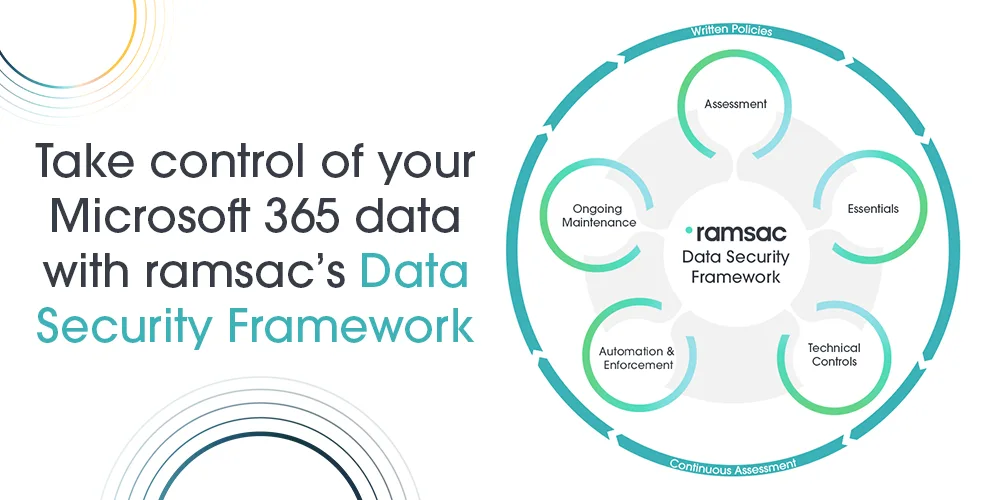
The ramsac Data Security Framework was designed for exactly this challenge.
Rather than rushing to enable Copilot for Microsoft 365 and hoping for the best, it helps organisations put strong data foundations in place first:
- Understand your data, what exists, where it lives, and who can access it
- Fix the basics, reducing over-sharing and removing obvious risks quickly
- Apply structure and protection, using Microsoft’s built-in security and compliance tools properly
- Introduce automation, so good security does not rely on people remembering rules
- Keep everything aligned, as users, data and AI capabilities continue to evolve
The result is not just a safer Microsoft 365 environment. It is a cleaner, more usable one that works better for everyone.
And when Copilot is introduced, or expanded, it has reliable, well-governed data to work with.
The real benefit: trust
Strong data governance is not just a technical exercise, it is what enables trust at every level of the organisation.
The ramsac Data Security Framework brings together people, process and technology to create that trust. By clearly defining where data should live, who should access it and how it should be protected, organisations gain confidence that their Microsoft 365 environment is working as intended.
For leaders, this means approving Copilot adoption knowing sensitive and regulated data is properly controlled. For employees, it means trusting the answers Copilot provides, without worrying that outdated, inaccurate or confidential information is being surfaced inappropriately.
With the right framework in place, security becomes an enabler rather than a blocker. Teams spend less time second-guessing their tools and more time using AI to save time, reduce friction and improve the quality of their work.
In this environment, AI feels like a natural extension of a well-run organisation. It becomes a genuine advantage, not a risk.
Thinking about Copilot for Microsoft 365?
You do not need to have a perfect Microsoft 365 environment before you start thinking about AI.
What you do need is a clear, practical framework that brings structure, clarity and control to your data before Copilot for Microsoft 365 starts working across it.
The ramsac Data Security Framework is designed to do exactly that. It provides a structured approach to understanding your data, reducing unnecessary exposure, applying consistent protection and embedding good practice into day-to-day working.
Rather than relying on one-off clean-up exercises, the framework helps organisations build sustainable data security that continues to work as data volumes grow, teams change and AI capabilities evolve.
This means Copilot adoption can move forward with confidence, supported by data foundations that are secure, compliant and fit for purpose.
Don’t leave AI outcomes to chance. Talk to us about how the ramsac Data Security Framework gives you the structure, controls and visibility needed to deploy Copilot with confidence, and without surprises. Download the brochure or contact us today.
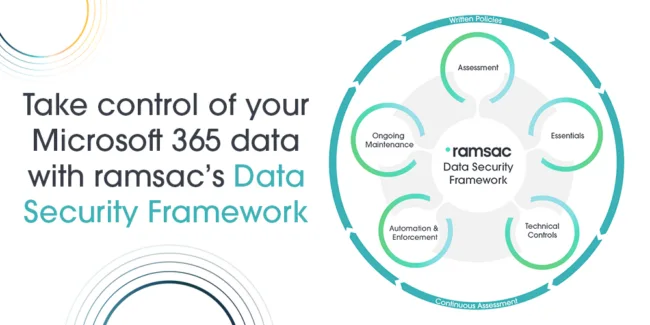
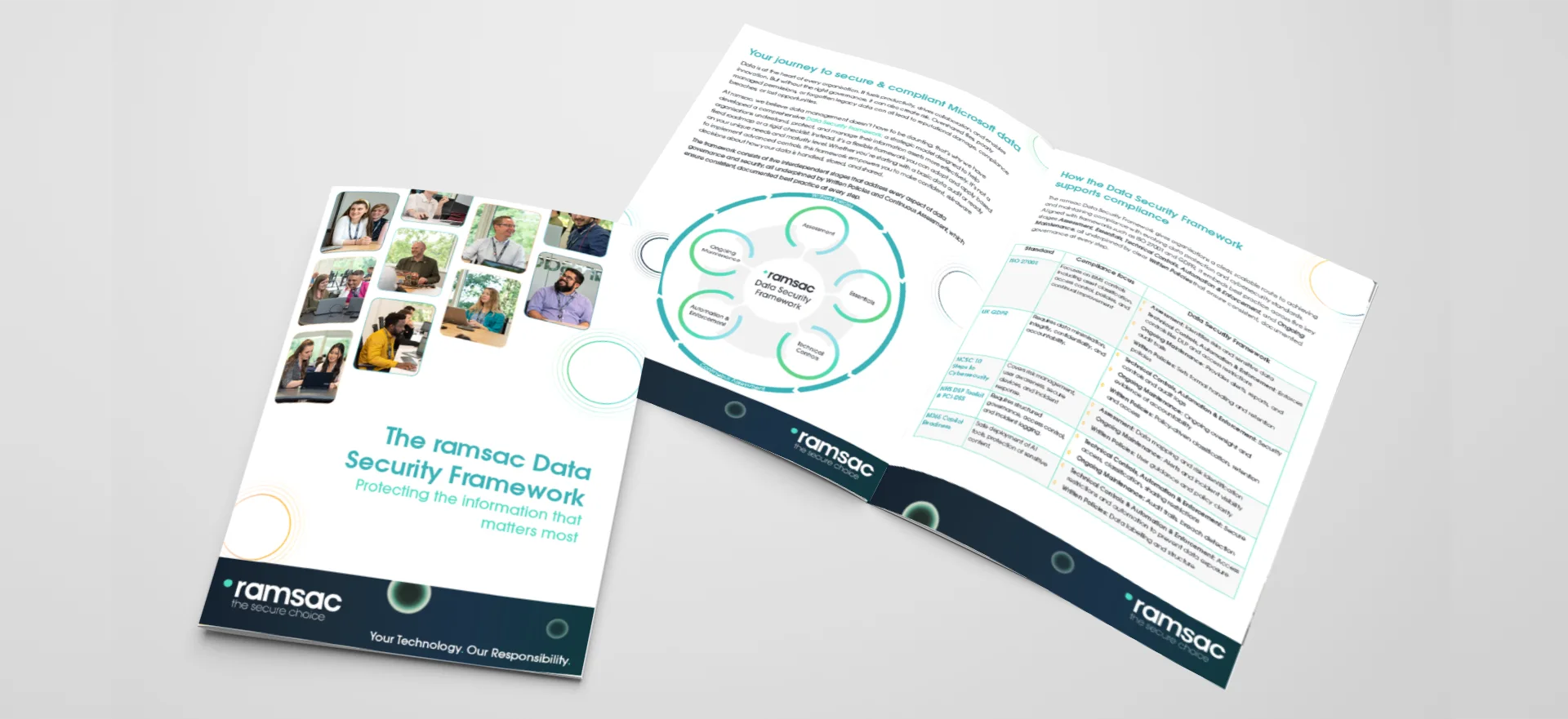
ramsac Data Security Framework: Your journey to secure, well-governed data
The ramsac Data Security Framework helps organisations take control of their data, offering a flexible approach to understanding, protecting, and managing information with confidence.
Copilot for Microsoft 365 & AI Data preparation FAQs
Copilot for Microsoft 365 is Microsoft’s AI assistant that works directly with your organisation’s Microsoft 365 data, including emails, documents, Teams chats, meetings, SharePoint sites and OneDrive files. It uses the permissions already in place to surface and summarise information for users.
No. Copilot for Microsoft 365 works inside your organisation’s Microsoft 365 tenant and uses your internal business data. Consumer Copilot and tools like ChatGPT do not have access to your Microsoft 365 files, emails or internal permissions.
Copilot can only access data that a user already has permission to see. However, if permissions are too open or poorly managed, Copilot may surface information that is inappropriate or sensitive for that user.
Copilot follows Microsoft’s security model, but it does not fix poor data hygiene. If files are over-shared, unlabeled or stored incorrectly, Copilot will still use them. Security depends heavily on how well your Microsoft 365 data is governed.
Because Copilot for Microsoft 365 reflects the current state of your data. Strong governance ensures sensitive information is protected, permissions are intentional, and AI surfaces the right information to the right people.
Preparation involves understanding where data lives, reducing over-sharing, applying sensitivity labels, improving structure, and using Microsoft’s built-in security and compliance tools effectively.
Without preparation, Copilot can expose outdated, inaccurate or sensitive information more quickly, increasing the risk of data leaks, compliance issues and loss of trust.
No. In practice, it enables faster and more confident adoption. When data foundations are in place, organisations can enable Copilot knowing it will deliver value without introducing unnecessary risk.
The ramsac Data Security Framework helps organisations understand, structure and protect their Microsoft 365 data so Copilot for Microsoft 365 can be used safely, effectively and with confidence.